
Outfit planning
Turn separate pieces into a look.
Planning an outfit starts with a combination: what to wear together and what to change. TryOnHaul helps you select pieces, explore the look on your own photos and keep the ideas you want to return to.
Download on the App StoreFor iPhone · iOS 17 or later
Start with one piece
Choose a top, trousers or another piece you want to wear. Add clothes from your digital wardrobe or use a supported import option for something you are considering.
Build around that first piece. You might keep a familiar top and change the shoes, or compare an outer layer with the rest of the outfit. The digital wardrobe gives you the images to begin.
Combine before you decide
Select several pieces to compose a complete outfit and use AI try-on to explore the combination on your reference photos. Colour, proportion and the relationship between layers are useful things to look at.
Use the available angle views to inspect the idea, then decide what you would change. A preview can help you explore style; it cannot confirm the physical fit, texture or exact colour of the real clothes.
Save the combinations worth revisiting
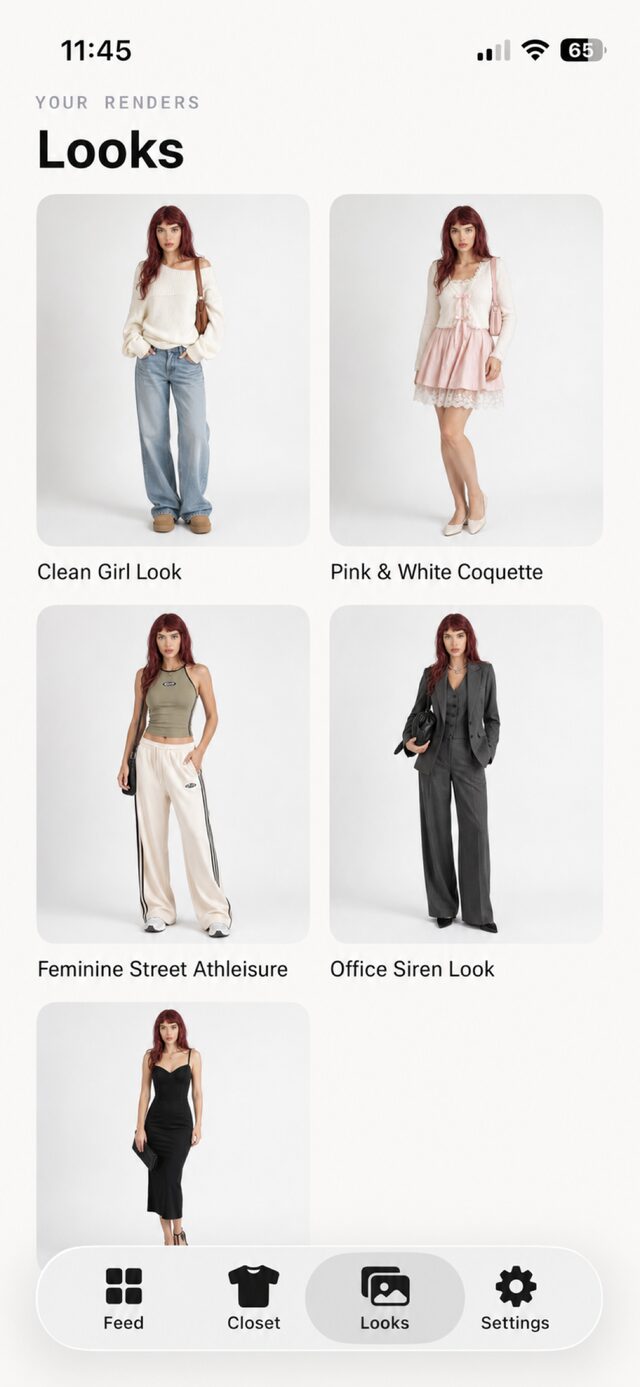
Save a completed look in your Looks gallery. Having several ideas together makes it easier to revisit an outfit or share one with a friend when you want feedback.
In TryOnHaul, outfit planning means composing, previewing and saving combinations. Explore your own wardrobe or clothing inspiration in the app to find a starting point for the next look.
FAQ
Questions about this feature
How does outfit planning work in TryOnHaul?
Select clothing pieces, compose a look, explore an AI preview on your reference photos and save the result in your Looks gallery.
Can I combine clothes I own with a new item?
Yes. Add images of your own clothes and an image of the item you are considering, then select them when composing a look.
Can I keep or share the outfit idea?
TryOnHaul supports saved looks and sharing from the try-on interface.
Is an outfit preview a fitting-room measurement?
No. Previews are visual inspiration for style and combinations. They are not a measurement and do not guarantee size or fit. Always check the retailer’s size guide before you buy.
Keep exploring
AI previews are visual inspiration. Check the retailer’s measurements, fabric details and size guide before buying.